If you’re freelancing in 2026, chances are you’re paying for too many tools—or worse, the wrong ones. I’ve tested dozens of “all-in-one” platforms, shiny SaaS bundles, and popular creator stacks. Most are either overpriced, overkill, or quietly eating into your margins. This post breaks down a lean, budget-friendly freelancer tool stack that prioritizes:
- Profit over polish
- Reliability over hype
- Tools you’ll actually use
No fluff. No inflated claims. Just a setup that works.
What This Stack Is (and Isn’t)
This stack is for you if:
- You’re a solo freelancer or consultant
- You want automation without complexity
- You care about ROI more than dashboards
This stack is NOT for:
- Large agencies with teams
- People who want one massive “do-everything” platform
- Anyone addicted to shiny tools 😅
The Core Philosophy: Fewer Tools, Higher Margins
Every extra subscription:
- Adds friction
- Increases cognitive load
- Cuts into profit
The goal here is functional minimalism—tools that punch above their price and replace 2–3 bloated alternatives.
The Budget Freelancer Tool Stack (2026)
1. Client Management & Automation
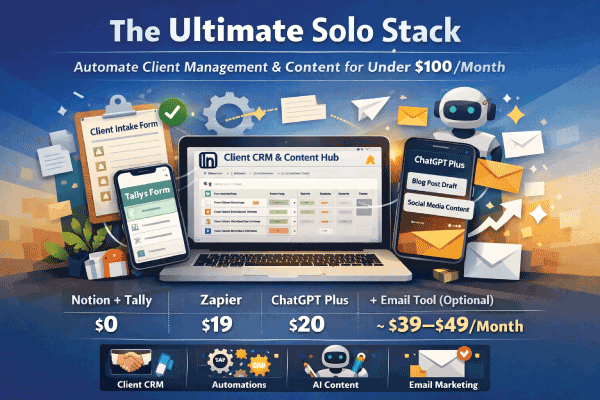
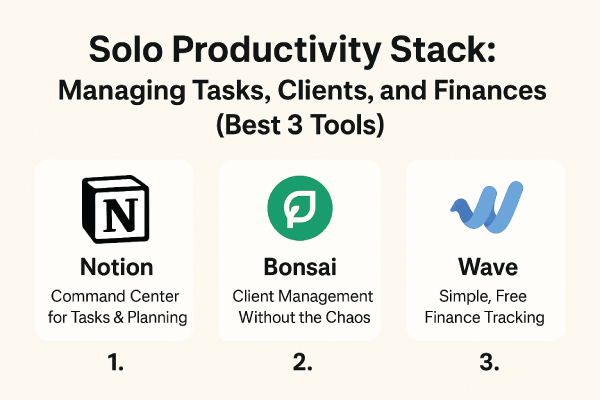
Best Option: GoHighLevel (Starter) or Notion + automation
Why it works:
- Centralizes clients, pipelines, and follow-ups
- Automates emails, onboarding, and reminders
- Replaces CRMs + email tools + schedulers
Real-world use case:
Client onboarding, contract follow-ups, payment reminders, upsells.
Limitations:
- Slight learning curve
- Overkill if you only have 1–2 clients
✅ Worth it if you value automation
❌ Skip if you prefer manual workflows
2. Content & Marketing
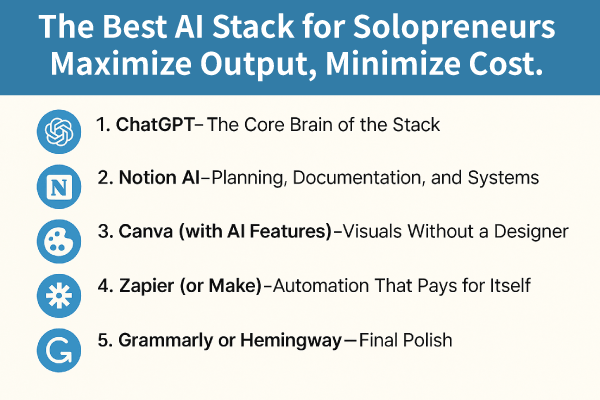
Best Option: Notion + ChatGPT (or similar AI writer)
Why it works:
- One workspace for ideas, drafts, and planning
- AI speeds up blogs, emails, and proposals
- Dirt cheap compared to content suites
Real-world use case:
Weekly blog posts, LinkedIn content, client proposals.
Limitations:
- Requires your judgment (AI isn’t magic)
- No built-in publishing
3. Design & Visuals
Best Option: Canva Pro
Why it works:
- Social posts, client decks, lead magnets
- No design background needed
- Replaces multiple design tools
Real-world use case:
Brand kits, pitch decks, thumbnails, PDFs.
Limitations:
- Not ideal for advanced design work
- Templates can feel “Canva-ish” if overused
4. Payments & Invoicing
Best Option: Stripe + PayPal
Why it works:
- Trusted by clients worldwide
- Clean invoicing and payment links
- No monthly fee
Real-world use case:
One-click invoices, subscriptions, retainers.
Limitations:
- Transaction fees add up
- No deep accounting features
5. File Storage & Delivery
Best Option: Google Drive
Why it works:
- Cheap, reliable, universal
- Easy client sharing
- No learning curve
Limitations:
- Not fancy
- Limited automation
Total Monthly Cost (Approx.)
| Category | Cost |
|---|---|
| Client management | $0–$49 |
| Content & planning | $0–$20 |
| Design | ~$12 |
| Payments | Pay-per-use |
| Storage | ~$2–$5 |
💡 Total: Often under $100/month, even with automation.
Pros & Cons of This Stack
✅ Pros
- High profit margins
- Low monthly overhead
- Scales with your business
- Minimal tool fatigue
❌ Cons
- Not “all-in-one”
- Requires basic setup effort
- Less flashy than premium stacks
Who This Stack Is Best For
✔ Freelancers charging retainers
✔ Solo consultants & creators
✔ Service-based businesses
✔ Anyone tired of SaaS bloat
If your goal is keeping more of what you earn, this setup makes sense.