Most freelancers don’t struggle with their core skill — they struggle with managing clients, tracking work, and getting paid on time. Missed follow-ups, unpaid invoices, scattered client info, and messy workflows quietly drain hours every week. After testing multiple setups over the years, I’ve found that freelancers don’t need complex systems — they need a lean, reliable client management stack that covers three things well:
- Client communication & organization
- Invoicing and payments
- Task and project tracking
Below is a practical, real-world client management stack that balances simplicity, affordability, and reliability — especially for solo freelancers.
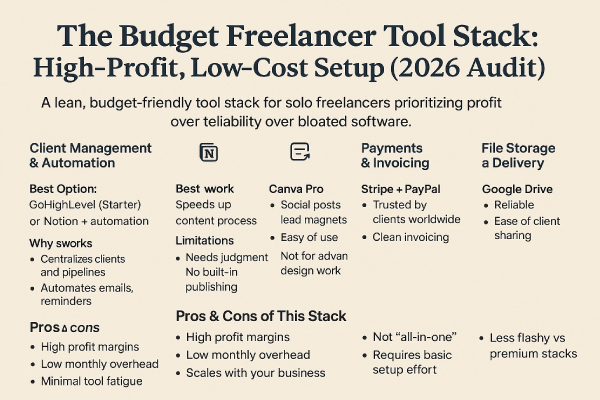
The Ideal Client Management Stack (At a Glance)
This stack is built for freelancers managing multiple clients without admin overload:
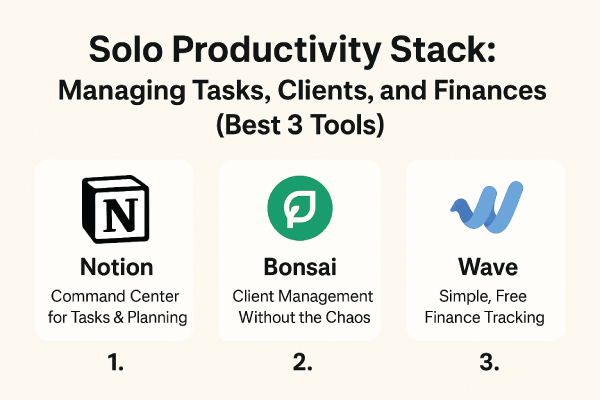
- Notion – Client hub & documentation
- Trello or ClickUp – Project & task tracking
- Wave or PayPal Invoicing – Invoices & payments
- Google Workspace – Email, files, contracts
Each tool plays a clear role, without overlap or unnecessary complexity.
1. Notion – Your Central Client Hub
Notion works best as the single source of truth for your freelance business.
How It’s Used in Real Life
- Store client details (contacts, rates, notes)
- Track contract status and onboarding steps
- Log communication history
- Maintain SOPs for repeatable work
Instead of hunting through emails and folders, everything lives in one clean dashboard.
Strengths
- Fully customizable client databases
- Scales from solo to agency-style workflows
- Free plan is generous for freelancers
- Excellent for documenting processes
Limitations
- Requires initial setup time
- No built-in payments or invoicing
- Can feel overwhelming without templates
Best for: Freelancers who want structure without expensive CRM software.
2. Trello or ClickUp – Track Client Work Without Stress
You need visibility into what’s due, what’s in progress, and what’s done — without micromanaging yourself.
Trello (Simpler Option)
- Visual boards for each client
- Clear task flow
- Minimal learning curve
ClickUp (More Advanced)
- Time tracking
- Due dates & dependencies
- Client-level folders
- Automations (on paid plans)
Strengths
- Keeps deadlines visible
- Reduces missed deliverables
- Easy client-based organization
Limitations
- ClickUp can feel heavy for beginners
- Trello lacks advanced reporting
Best for: Freelancers juggling multiple deadlines across clients.
3. Wave or PayPal Invoicing – Getting Paid Reliably
Getting paid should be predictable and frictionless.
Wave (Best for Freelancers on a Budget)
- Free invoicing
- Automatic payment reminders
- Clean, professional invoices
PayPal Invoicing
- Fast payments
- Clients already trust it
- Strong international support
Strengths
- Reduces late payments
- Tracks paid vs unpaid invoices
- Easy client checkout experience
Limitations
- PayPal fees can add up
- Wave payments not available in all countries
Best for: Freelancers who want simple invoicing without accounting software complexity.
4. Google Workspace – Communication & File Control
It’s not flashy, but Google Workspace quietly holds everything together.
Real-World Uses
- Client email communication
- Contract storage
- Shared deliverables
- Proposal drafts
Strengths
- Professional email credibility
- Easy file sharing
- Works seamlessly with other tools
Limitations
- Monthly cost
- Not designed specifically for freelancers
Best for: Anyone who wants a professional setup without reinventing the wheel.
Pros & Cons of This Client Management Stack
✅ Pros
- Affordable and scalable
- Easy to customize
- No bloated CRM tools
- Works for most freelance niches
- Reduces admin chaos
❌ Cons
- Requires manual setup
- Tools aren’t fully integrated by default
- Not ideal for large agencies
Who This Stack Is Best For
This setup works especially well if you are:
- A solo freelancer or consultant
- Managing 5–20 active clients
- Tired of spreadsheets and inbox chaos
- Focused on getting paid consistently
If you outgrow this stack, you’ll already have systems that transition well into more advanced tools later.